JohnSelected WorkKent, UK · 2026

Selected product, operations and web work

I build systems around how people actually work.

I map processes, find bottlenecks and turn repeated work into practical tools, clearer workflows and carefully judged automation. My work ranges from business operations software and AI-assisted tools to commercial websites and experimental products.

01Service business operationsIn client testing

BSK View

One operating layer around the tools a business already trusts.

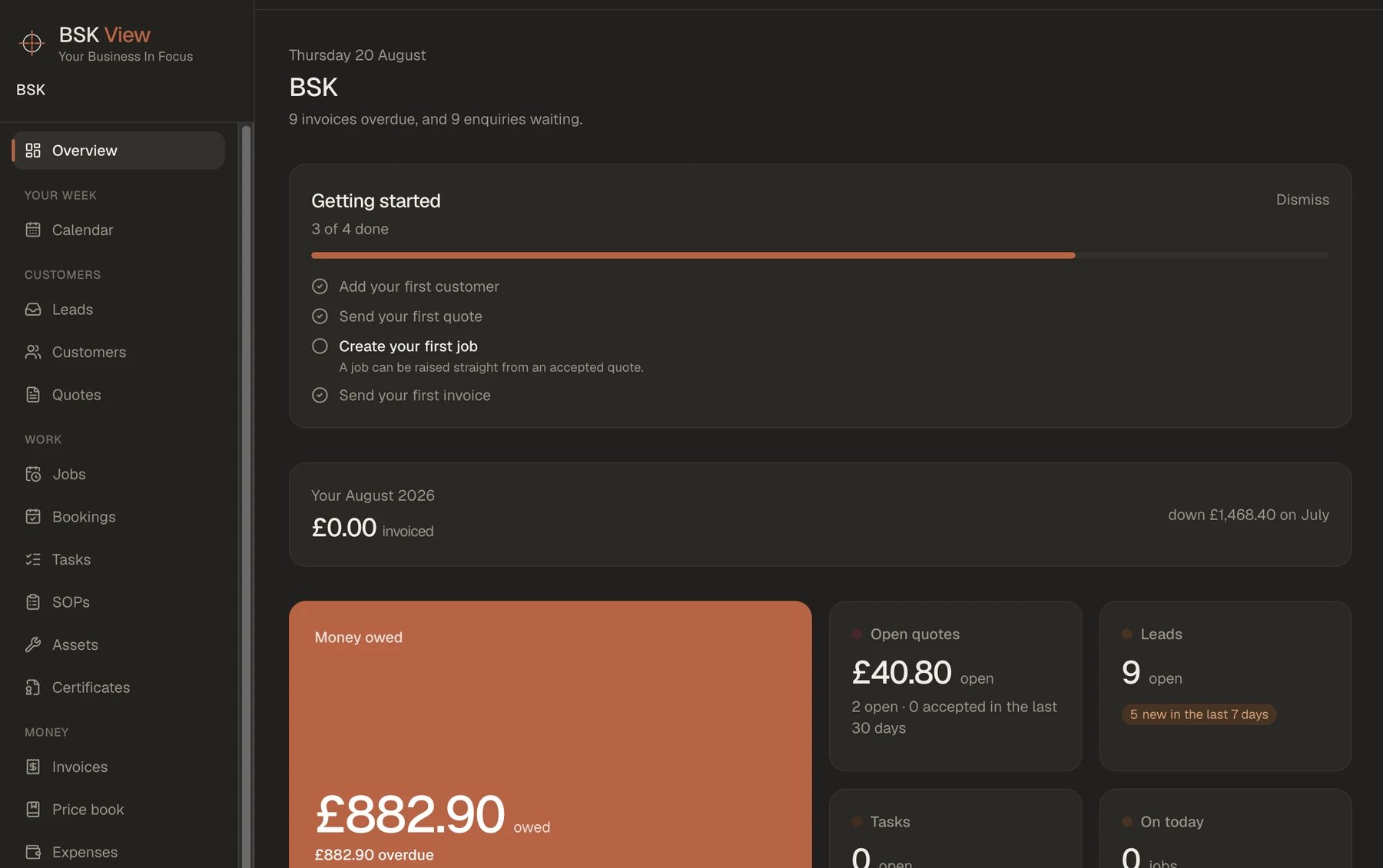
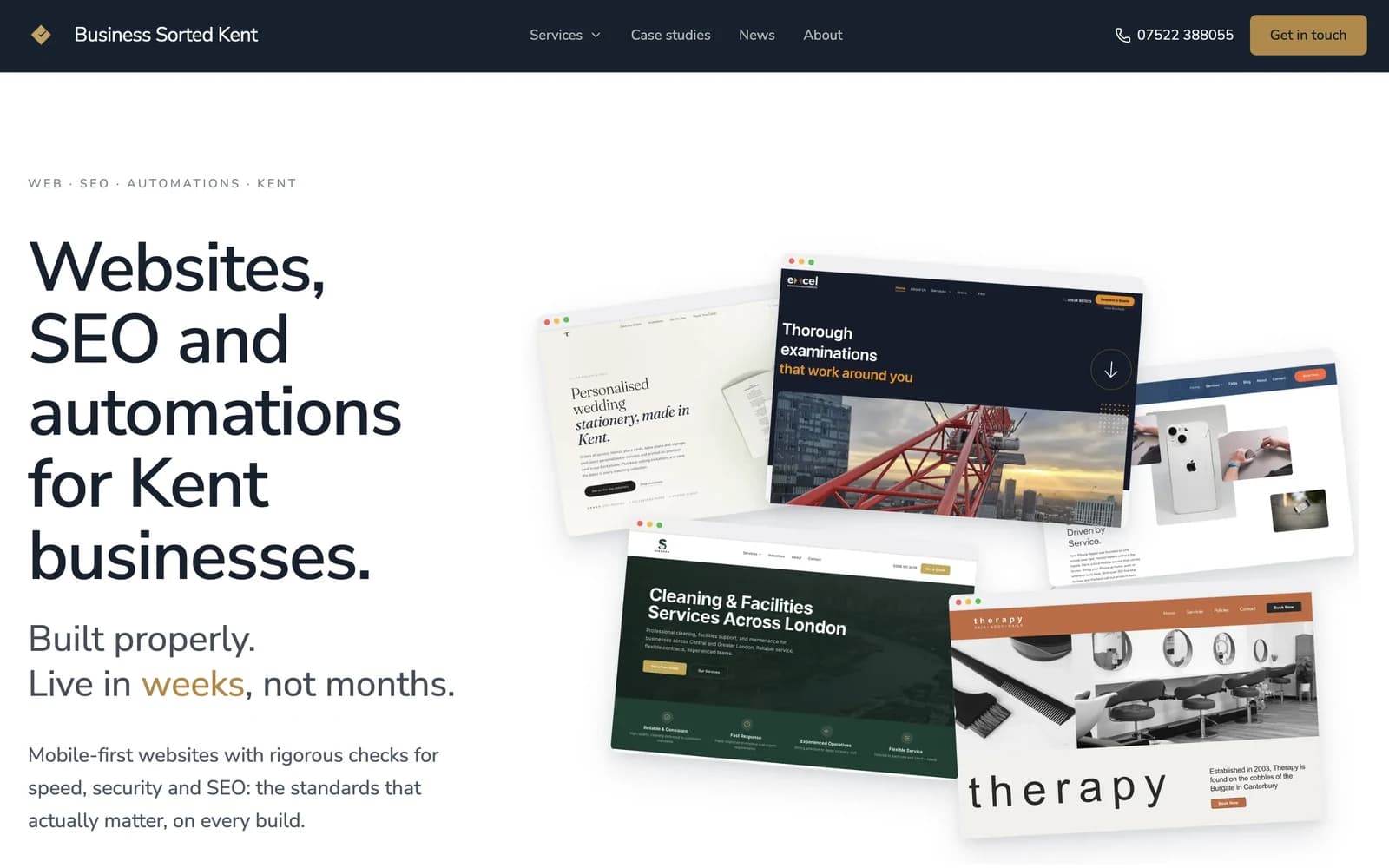
BSK View is a multi-tenant operations platform currently being tested with several UK service businesses. It covers enquiries, leads, customers, quotes, jobs, bookings, renewals, certificates and operational follow-up. It grew from Make.com automations built for the same businesses. Client testing clarified the product boundary: integrate with systems such as Xero rather than attempting to replace specialist accounting software.

  • Active client testing
  • Enquiry-to-job workflow
  • Xero integration
  • Renewals and obligations
  • Bounded, opt-in automation
BSK View operations dashboard showing current enquiries, live jobs and upcoming renewals.
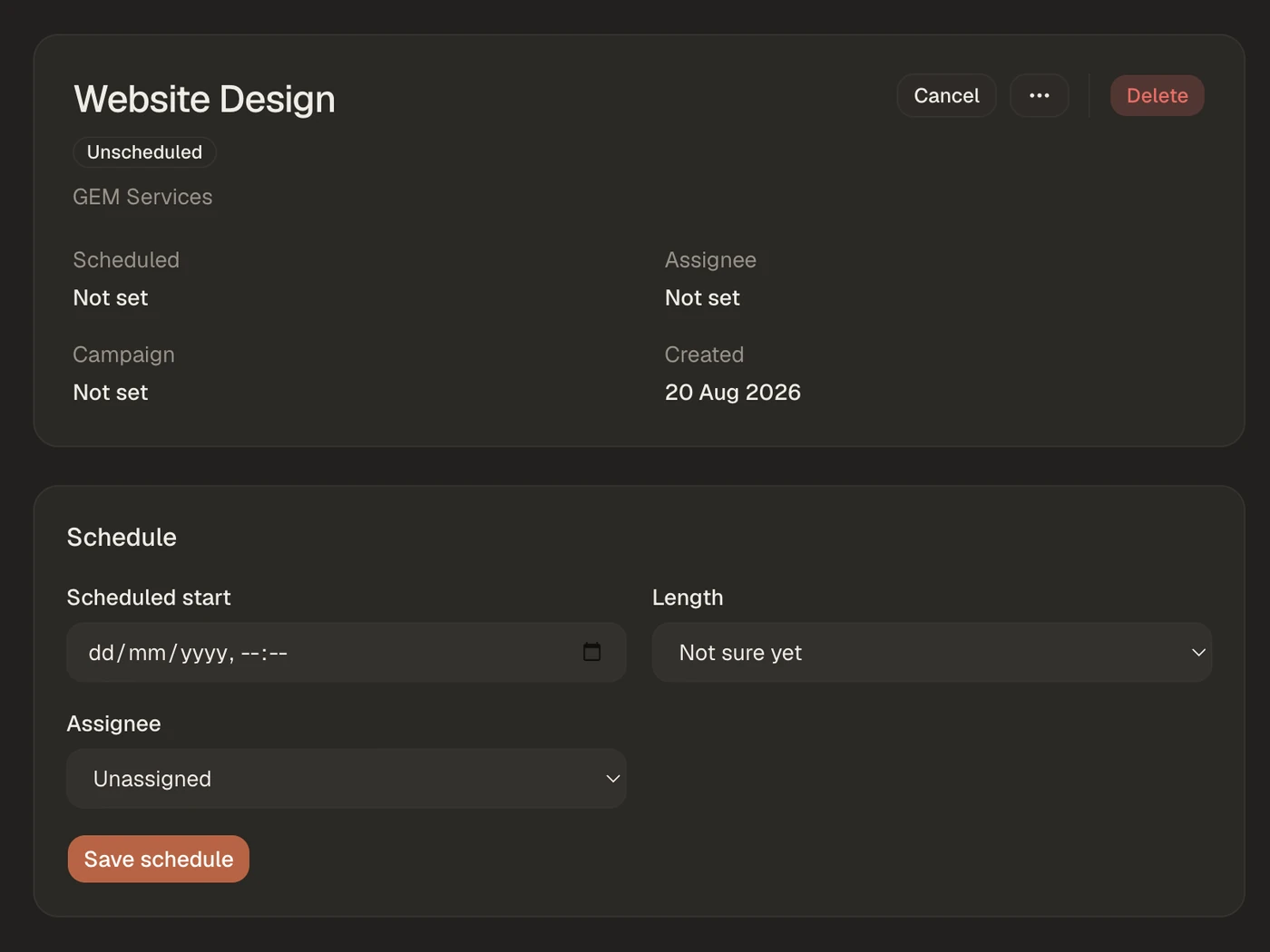
A single BSK View job record with quote, booking and certificate history in one view.
02Field operations

GEM CRM

Replacing inbox reminders, scattered forms and evening administration.

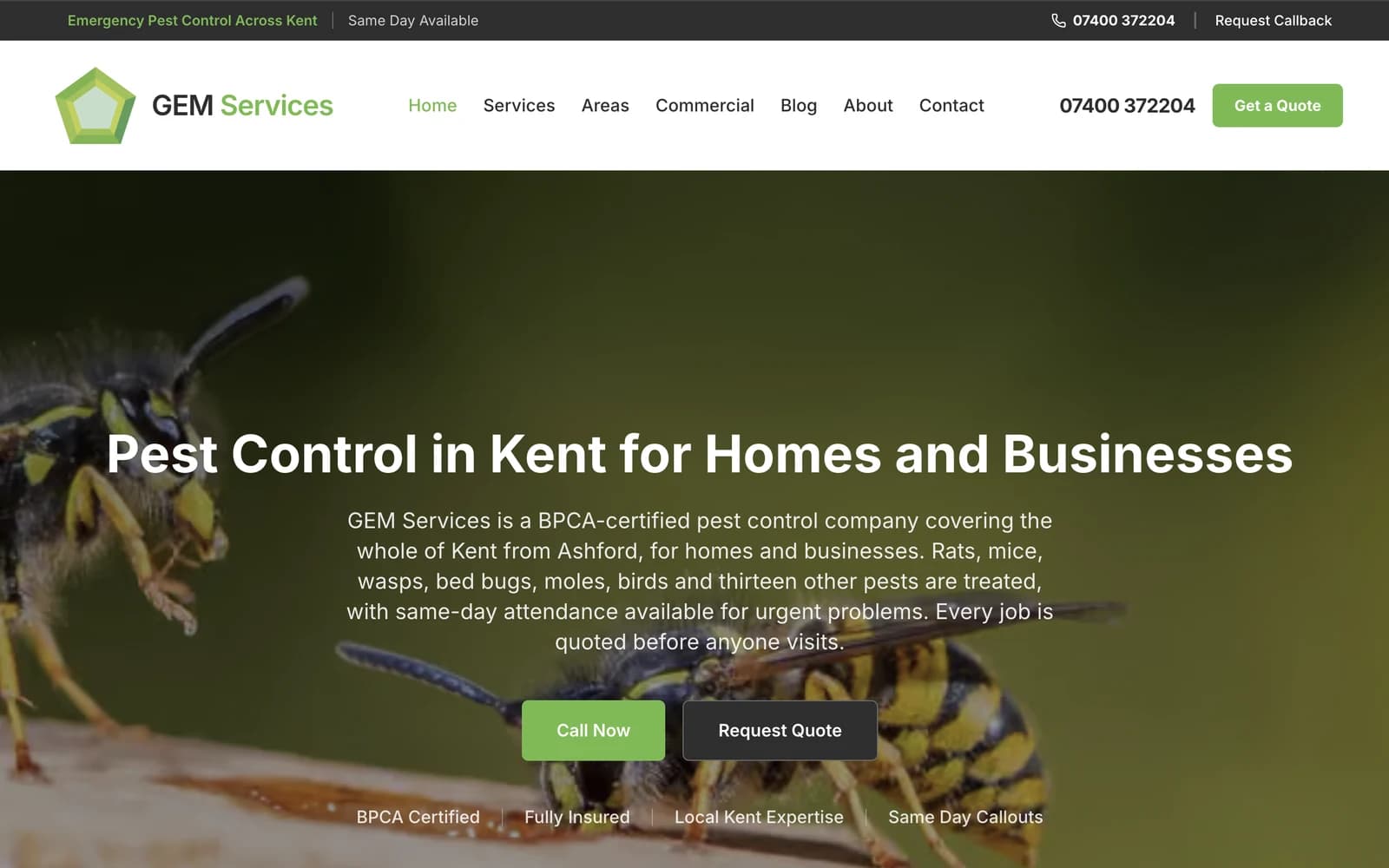
GEM CRM is a field-operations platform built around a sole pest-control operator. The previous process relied on emails for reminders, Jotform for contracts and service records, and a phone for much of the remaining operation. The application brings customers, jobs, scheduling, field documents, invoicing activity and follow-up into one workflow, including offline-first capture for unreliable field connectivity.

  • Automatic scheduling
  • Integrated field records
  • Contracts and follow-up
  • Offline-first operation
  • Reduced software fragmentation
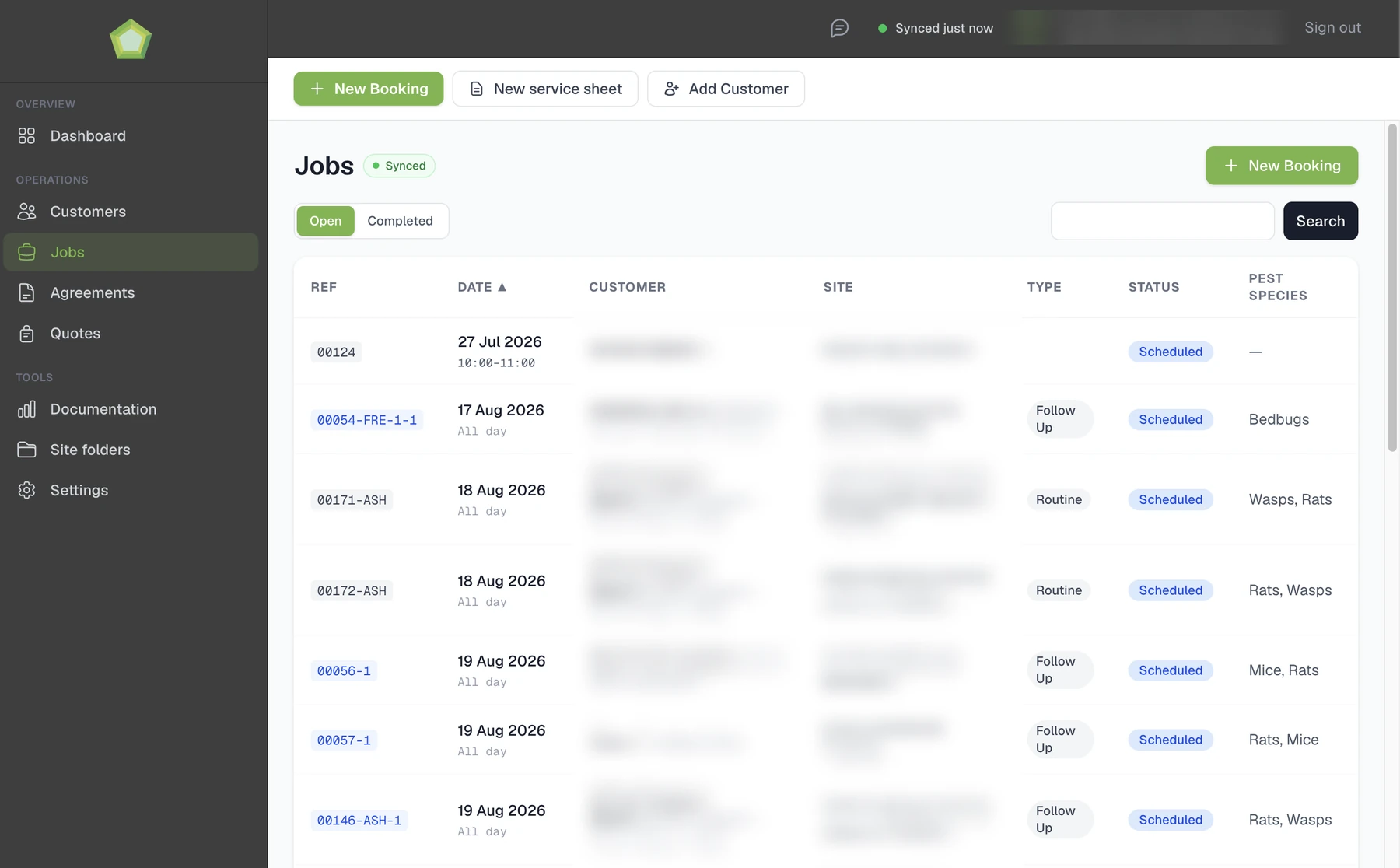
The GEM CRM jobs list, showing each visit by reference, date, type, status and pest species. Customer and site details are obscured.
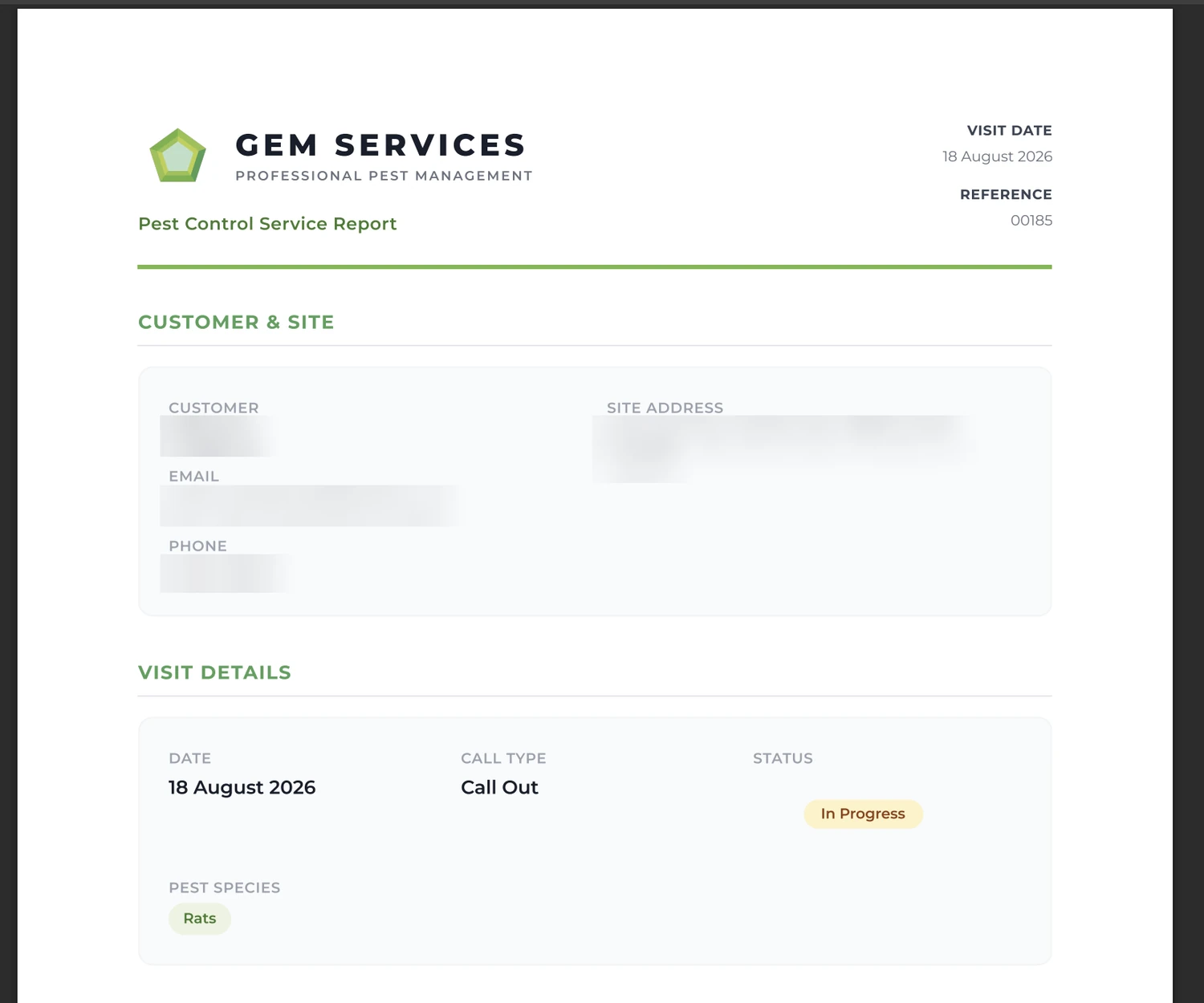
A GEM CRM pest control service report produced as a PDF from a completed visit. The customer block is obscured.
03Customer self-service

TavernCreative Design Tool

From personalised order to approved print-ready artwork.

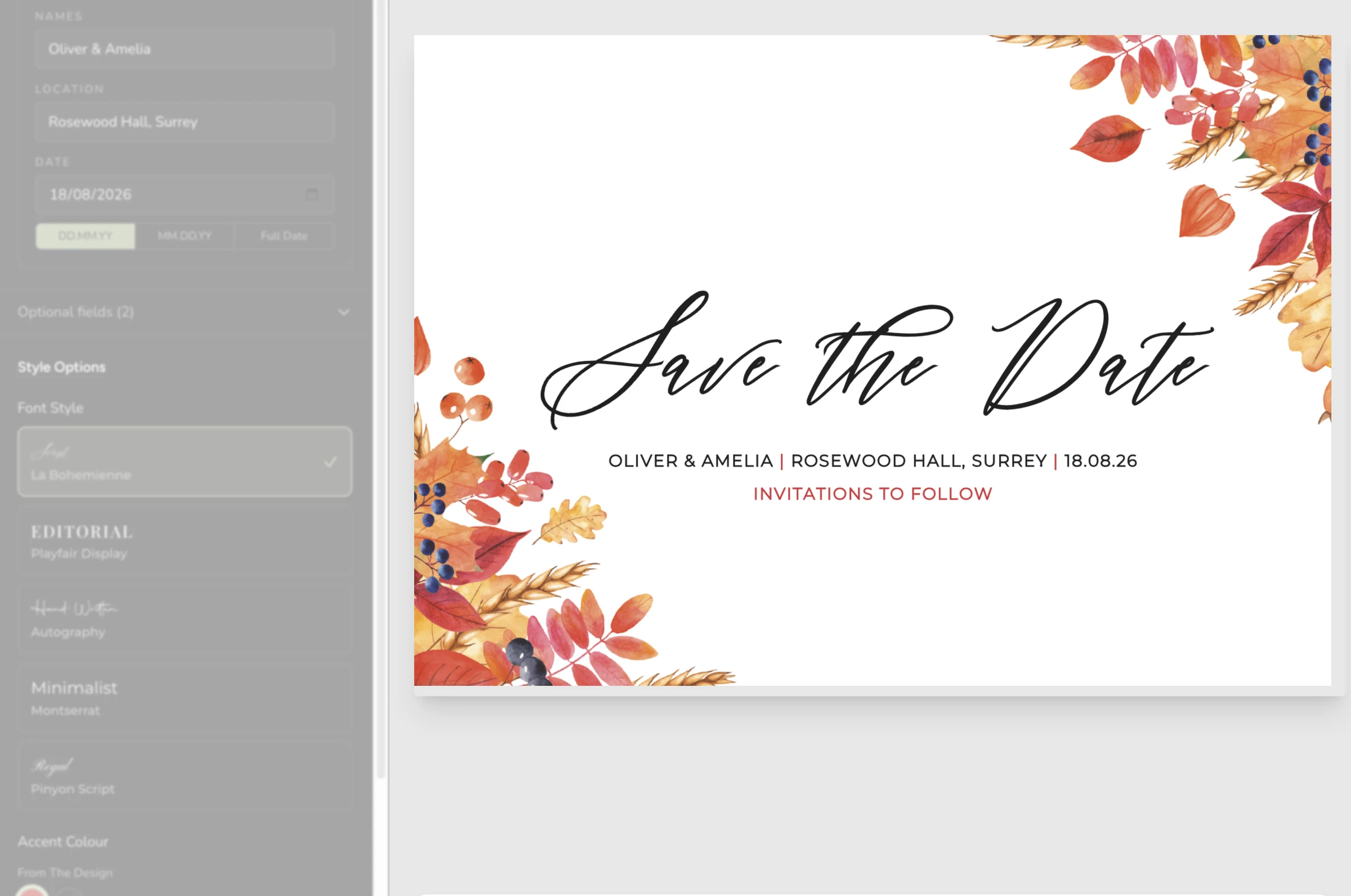
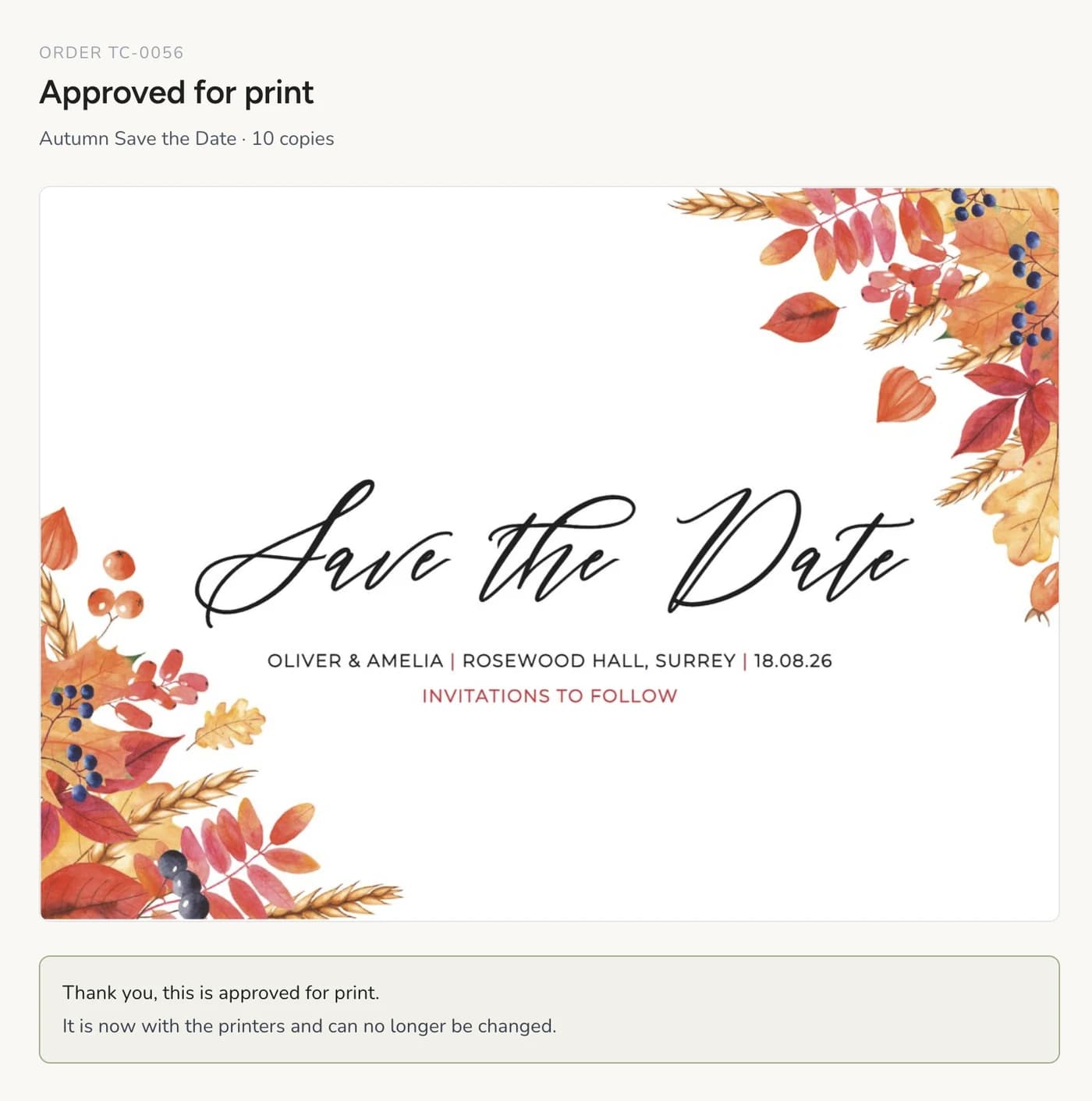
TavernCreative first reduced manual design work using Antigro in 2022. In 2026, I built an integrated personalisation tool directly into the order journey. Customers can edit invitations and save-the-dates, save their work, generate a print-ready PDF and explicitly approve the final design. The workflow reduces repeated design and proof preparation while keeping the final production decision with the customer.

  • Live personalisation
  • Save and return
  • Print-ready PDF
  • Explicit approval
  • Order-flow integration
The TavernCreative personalisation editor, with a save-the-date being edited beside a live preview.
The approval step confirming a save-the-date is approved for print and can no longer be changed.
04Personal operations

Dashoo

Email, planning, knowledge and personal data in one working system.

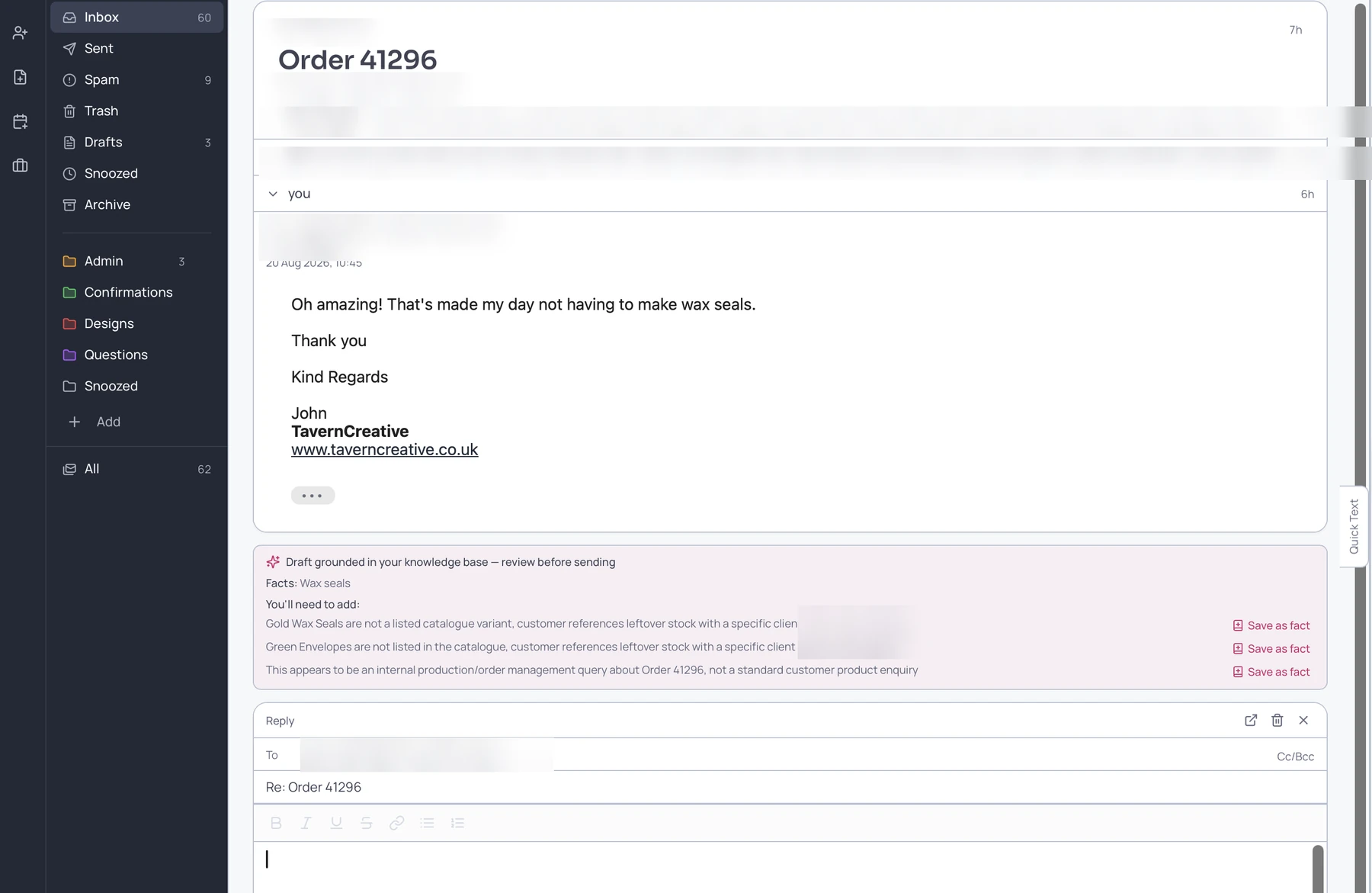
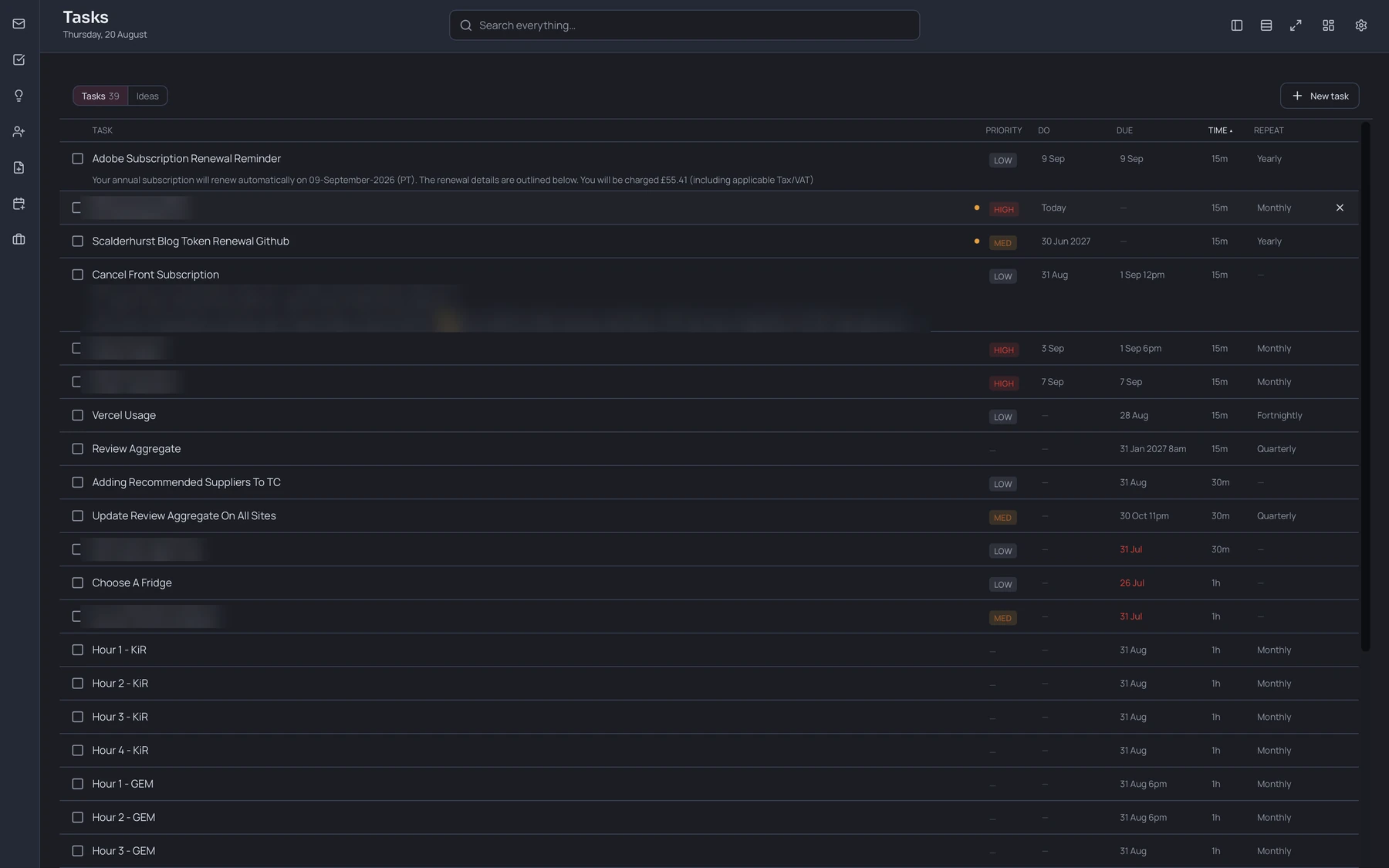
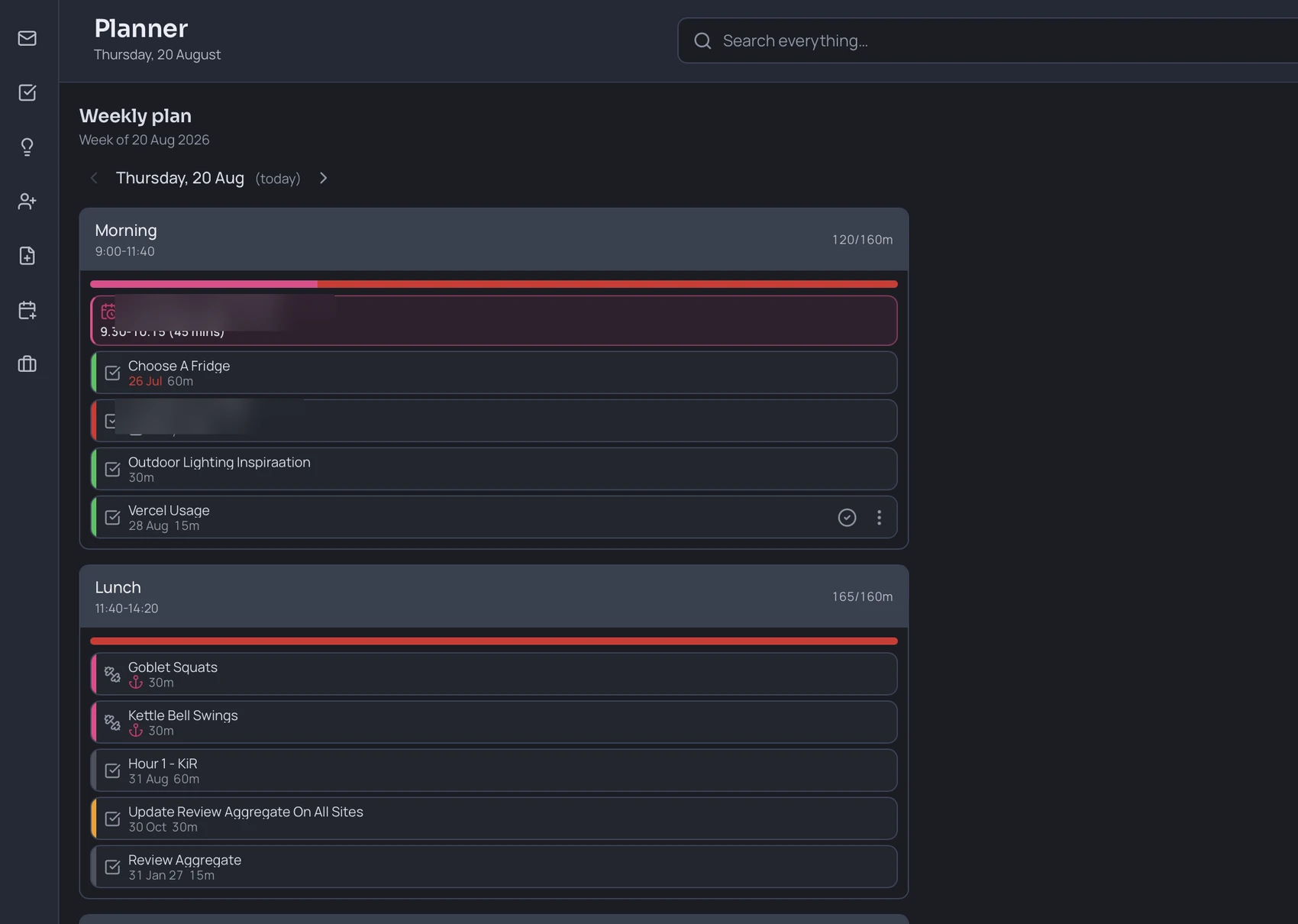
Dashoo is a personal operations system built to replace Front, a separate task manager and several disconnected tools. AI-assisted email drafts use my knowledge base, structured pricing and business context, with corrections saved as reusable knowledge. Tasks carry a do date, due date and duration, allowing the weekly calendar to place work automatically around fixed appointments.

  • Knowledge-grounded email
  • Structured pricing
  • Learning from corrections
  • Automatic weekly planning
  • Files, vault and health modules
Dashoo drafting a reply, with a panel listing the facts the draft was grounded in and offering to save each correction back as knowledge. Contact details are obscured.
The Dashoo task list, where every task carries a do date, a due date, a duration and a repeat. Personal rows are obscured.
The Dashoo weekly plan for a single day, with tasks placed into timed morning and lunch blocks around a fixed appointment. One row is obscured.
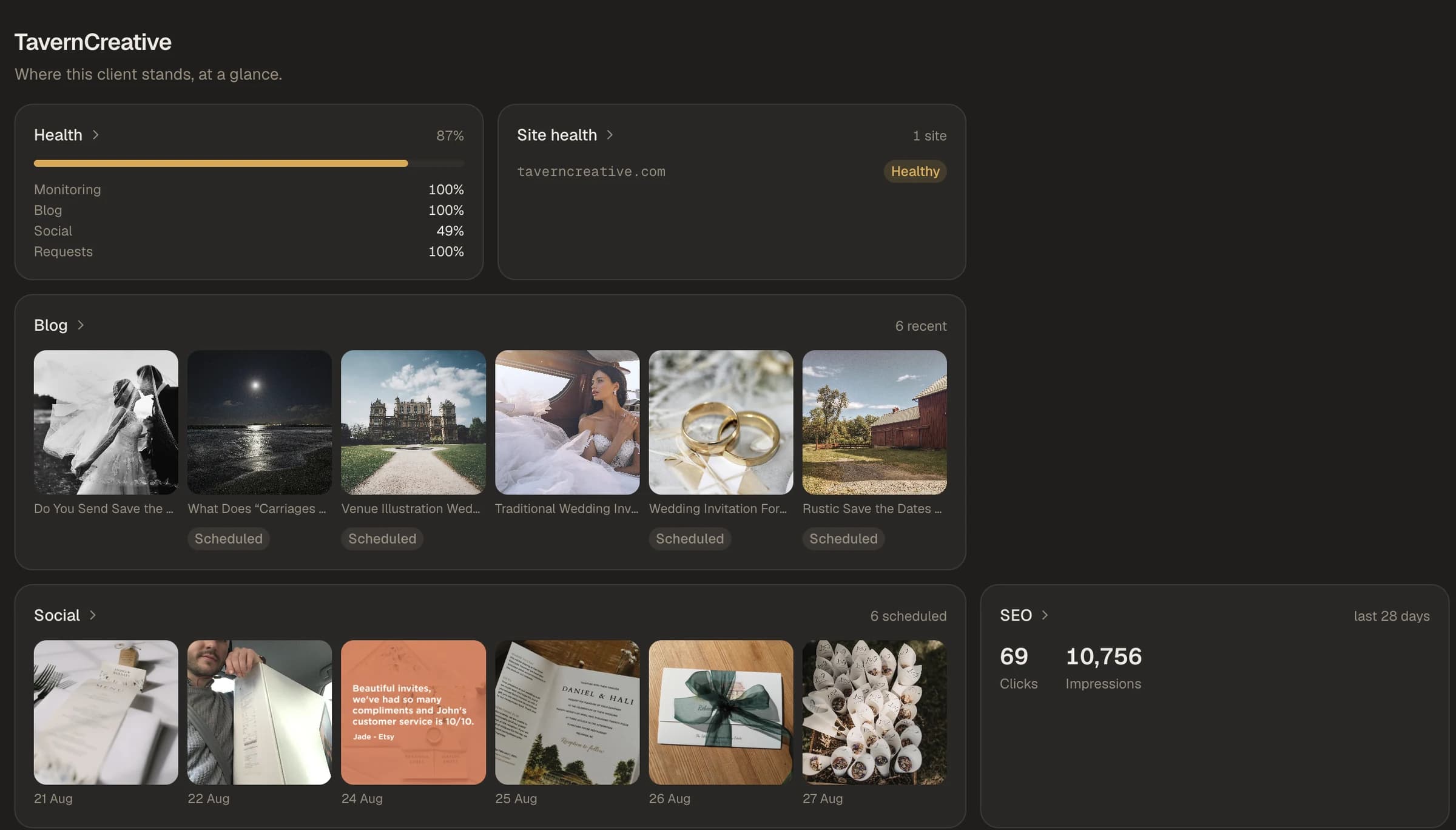
A Spotlight client overview showing site health, scheduled blog posts, scheduled social posts and search performance together.
05Content operations

Spotlight

One view across a portfolio of client publishing.

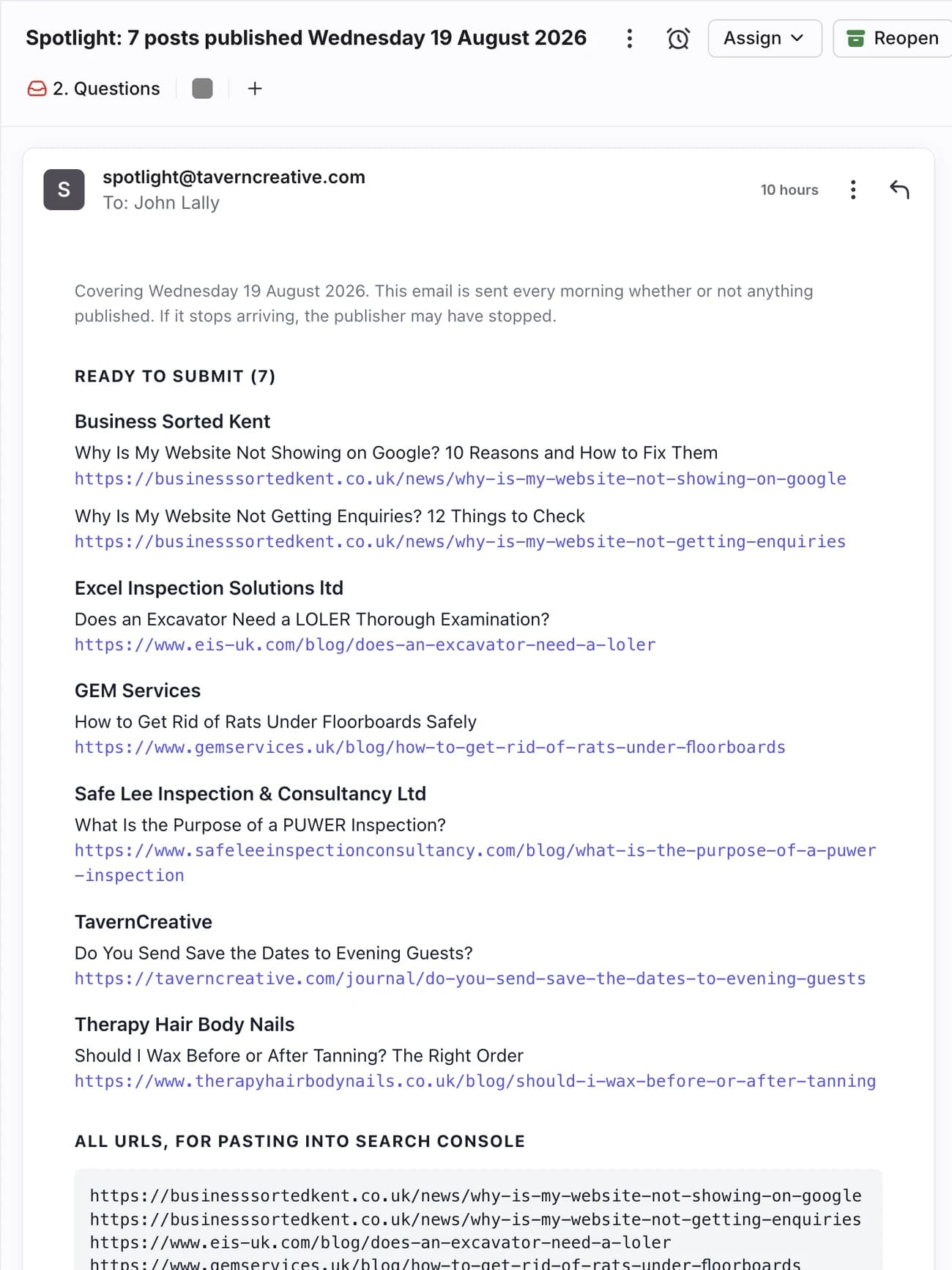
Spotlight coordinates blog and social publishing across multiple client accounts. It handles different publication methods, makes status and failure visible, and sends a digest the day after posts go live. The digest creates a deliberate review point for checking the content on the live website and submitting new URLs to Google Search Console promptly.

  • Multi-client publishing
  • Scheduling
  • Visible status
  • Next-day review
  • Search indexing workflow
The Spotlight next-day digest listing each published post with the URLs ready to submit to Search Console.
06Learning toolEarly stage

Caveman

Complex topics at three levels of depth.

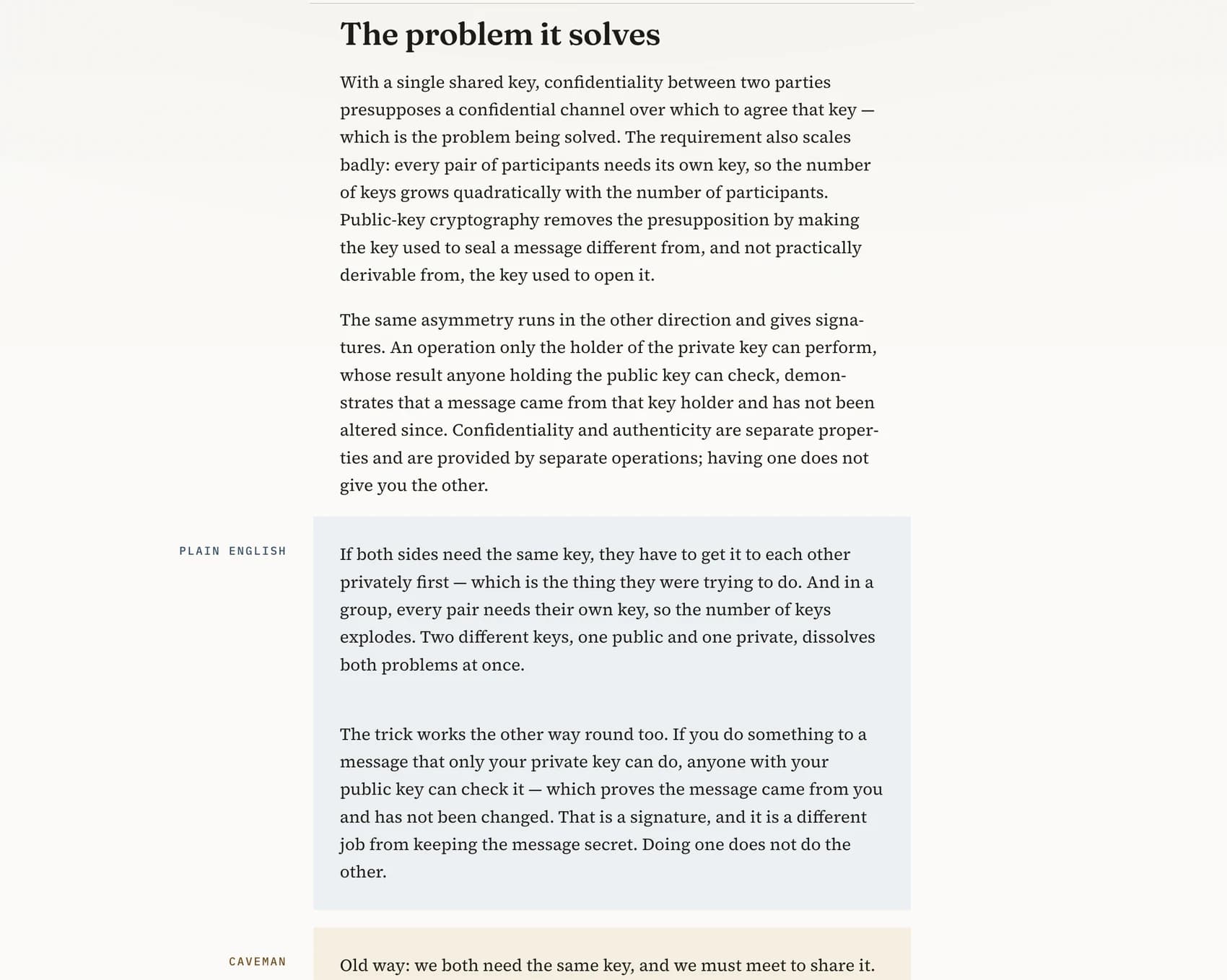
Most of my reading happens after work, once the kids are in bed. By then I am tired and my attention has gone, so a dense paper does not land. Caveman keeps the original research on the page and adds two progressively simpler versions underneath, so I can drop down a level rather than give up. It is new, with most of the content still to write, and I intend to release it as open source.

  • Original research preserved
  • Progressive simplification
  • Made for evening reading
  • New personal resource
  • Planned open source
A Caveman topic on public-key cryptography shown at three depths: the full account, plain English and the simplest model.
07Product conceptNot launched

Vibe Card

Finding and remembering cards by intent, not keywords.

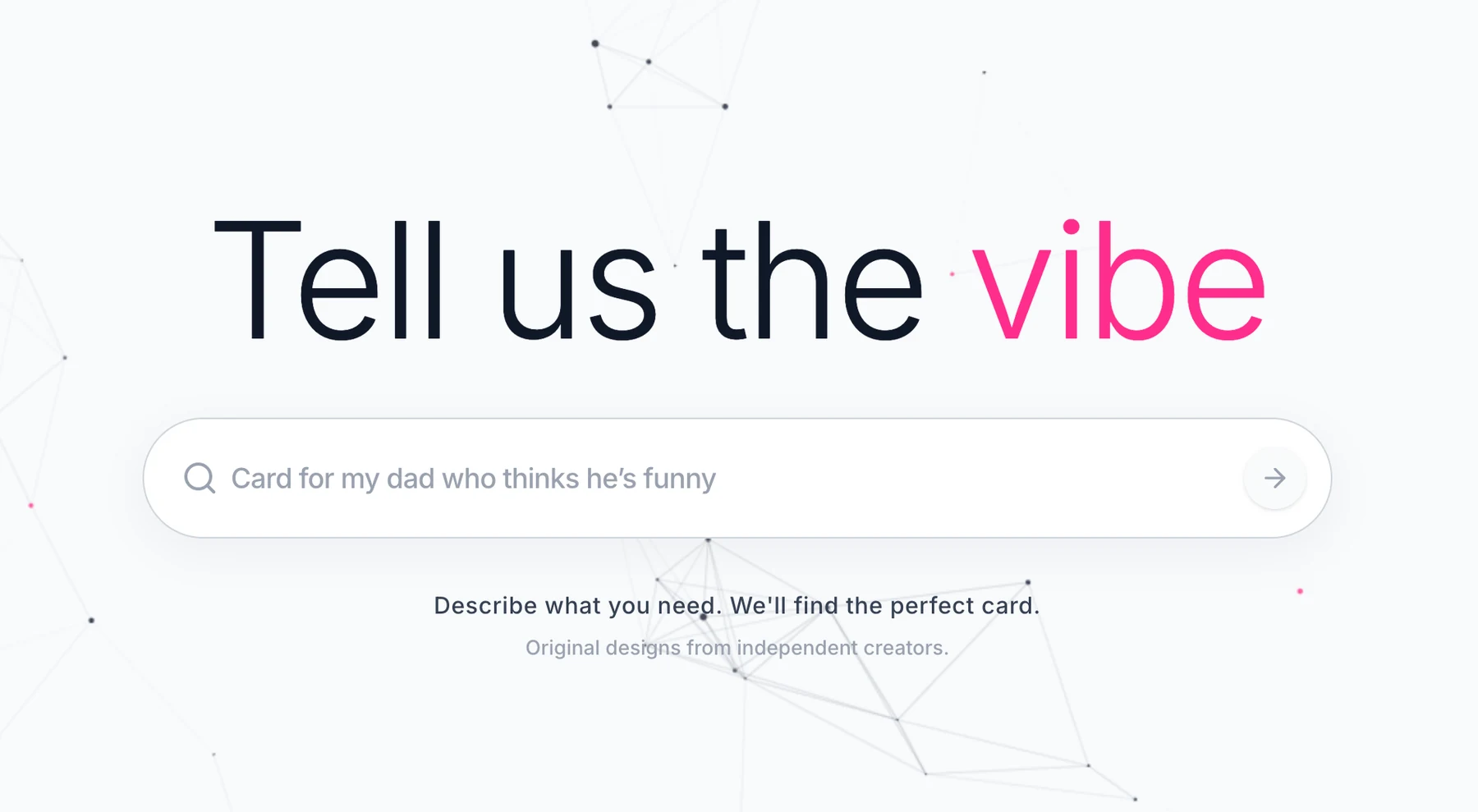
Vibe Card is a speculative concept for an AI-assisted greeting-card marketplace. Users search by describing the desired feeling or occasion, personalise a card and prepare it for fulfilment. A Set & Forget concept uses recurring dates to prompt future purchases. The idea generated interest from printing partner Print Junction, but timing and capacity did not align, so it remains an experimental project.

  • Semantic card search
  • Personalisation
  • Recurring occasions
  • Printing-partner interest
  • Speculative project
The Vibe Card search, where the query describes the person and the occasion rather than naming a product.
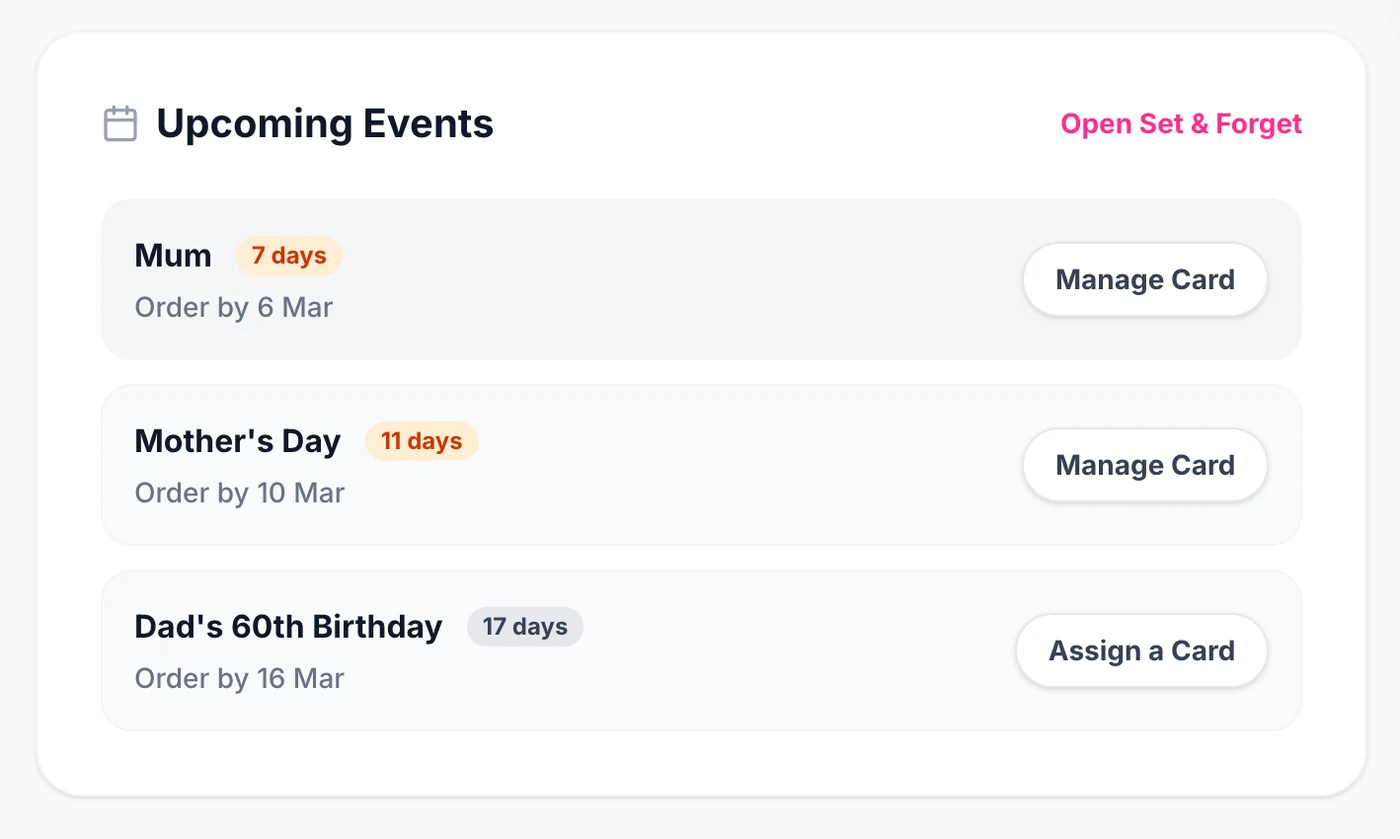
The Set & Forget panel, listing recurring occasions with the date each card needs to be ordered by.

Before building products, I connected the tools businesses already had.

I have mapped and implemented workflows for service businesses using Make.com and their existing applications. That work removed repeated administration quickly, but also exposed the cost and maintenance burden of fragmented subscriptions. The patterns discovered through those projects became part of the thinking behind BSK View.

  1. Existing process
  2. Mapped workflow
  3. Connected tools
  4. Tested with the business
  5. Repeated patterns identified

How I work

  1. 1

    Listen

    Understand the people, process and real constraints.

  2. 2

    Map

    Capture triggers, decisions, handoffs, bottlenecks and exceptions.

  3. 3

    Build

    Use existing tools, automation platforms or a purpose-built system.

  4. 4

    Test

    Check real behaviour, edge cases and whether the intended outcome occurred.

  5. 5

    Improve

    Document what changed and iterate from evidence.

Useful systems start with the real work.

Most of this started with a process someone was doing by hand. The rest is fairly ordinary: understand what is really happening, decide what should change, build it, then check it held up.